I’ve been doing this for a while now, and my editor thought it would be nice if I were to write down a little something about the adventures of self-publishing and what I’ve learned from it. I’ve had several first-time indie authors ask me how to go about it, but you’ll probably be surprised that it’s not as daunting as you might think. The self-publishing platforms are really good at guiding you through a step-by-step process.
But before you can contemplate getting it ready for publication, you should already have a finished manuscript. Finished means that it has been critiqued by at least a couple of people (who are not related to you and not your friends), and that you’ve had it well edited (content editing, copy editing, proofreading). Editing will cost you money. Pay it. There’s nothing worse than starting a book with a great plot and then being distracted by the typos. For my 90,000-word books, I would expect editing to cost between $1,000-$1,500. You can read more about these steps in my Preparing to Publish post.
Once you’ve got that, you can move on to the publication process.
I use KDP (Kindle Direct Publishing) for my ebooks and my paperbacks. There are other platforms, of course, but I’m going to focus on Kindle. I’ll explain why later.
If you go to KDP.amazon.com, you can sign in and get started. Once you’ve signed in, there is a BOOKSHELF tab and you’ll find the “add a new title” option. All you have to do is fill out all the information they ask for, and voila! Book. You can save your progress as you go, so if you run into something that you don’t have yet, like a blurb (they are the bane of my author existence; I hate them with a fiery passion) or whatever, then you can just save what you have and come back to it later.
The first page will look like this: (It’s kind of hard to read, but I just want to give you an idea of what info you’ll be filling out.
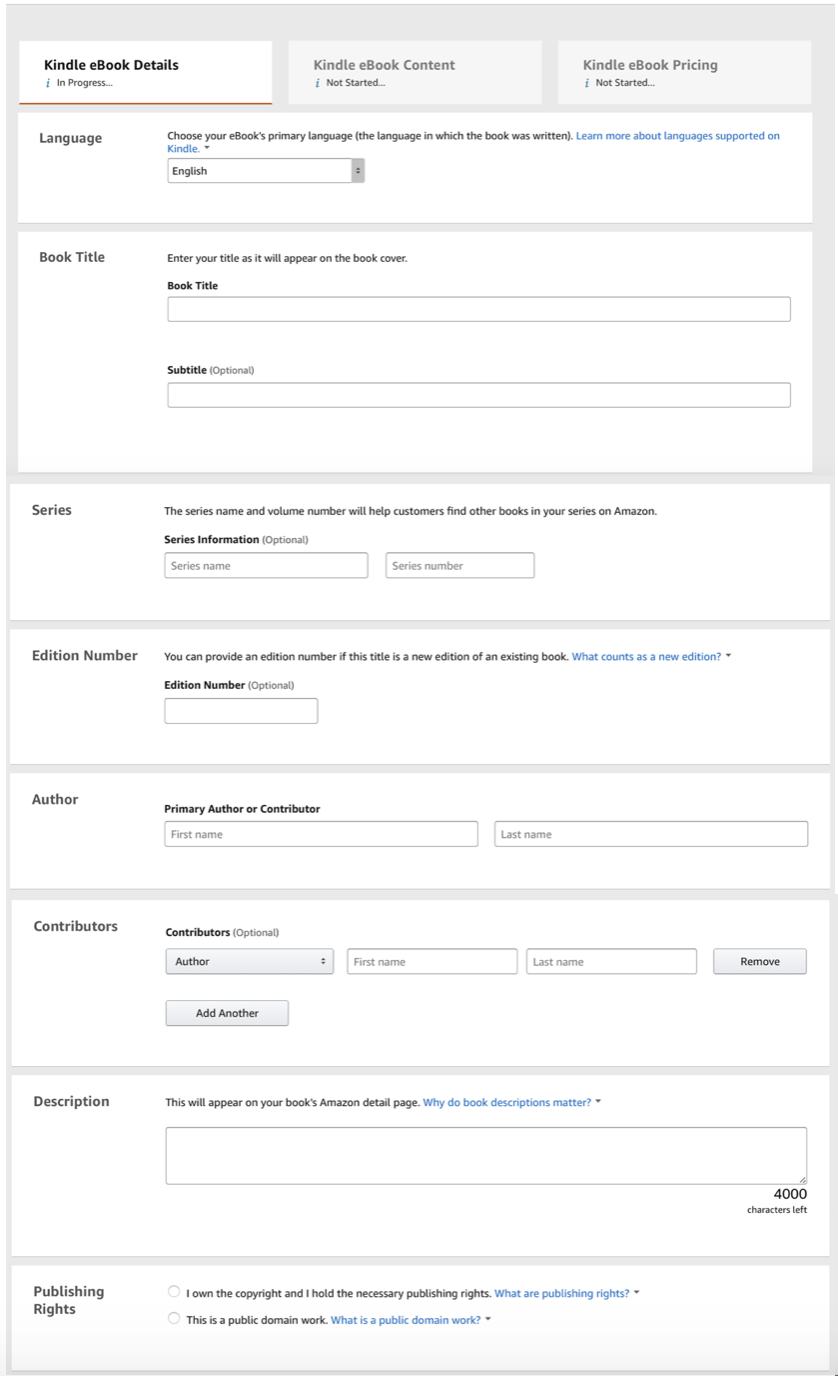
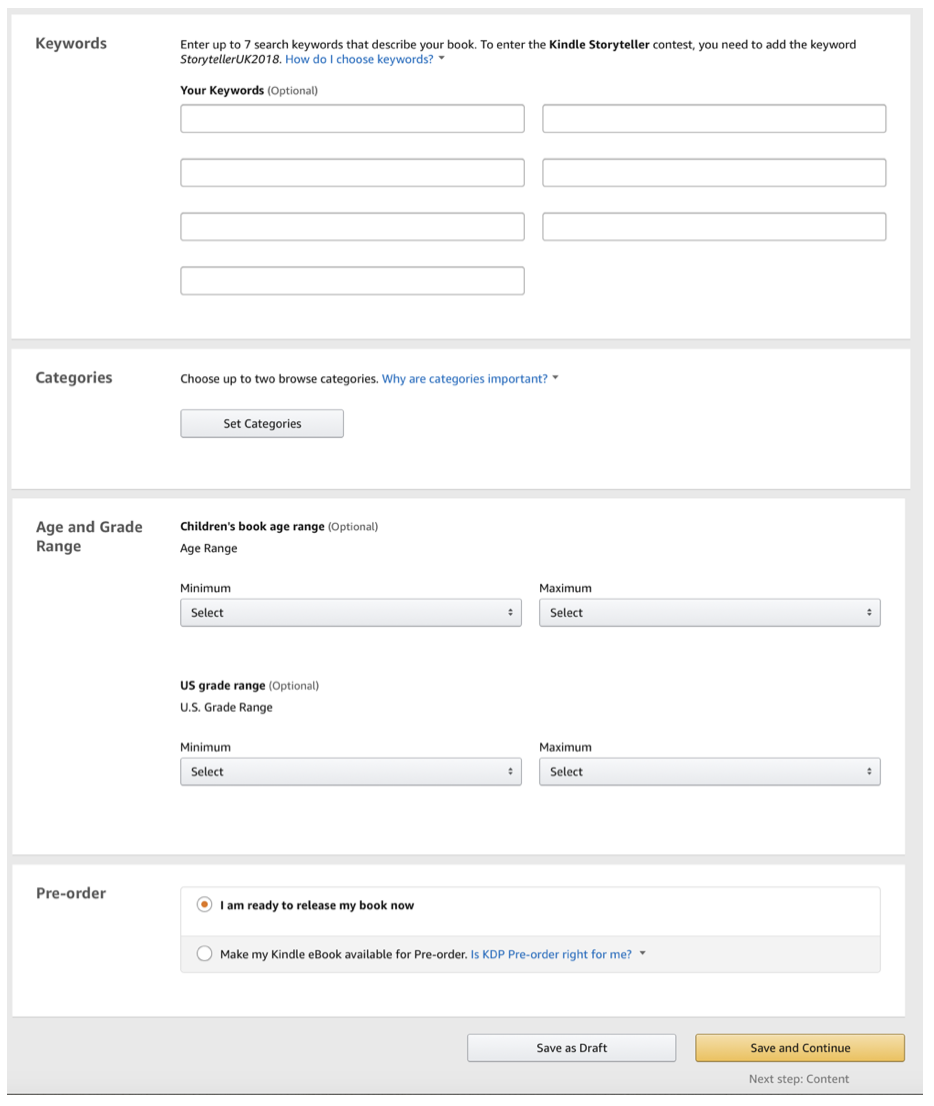
So that’s the first page of your basic KDP set up.
Things you might be wondering about
ISBNs: You don’t need one for ebooks, and they will assign you a free ISBN when you do your paperback, so it’s no big deal. You can also use BOWKER to purchase your own ISBNs. You’ll want to do that if you plan to publish your paperback on other platforms like Ingram Spark. If you do this, you need a separate ISBN for each format of your book. Your paperback ISBN must be different from your hardback ISBN, etc…
Cover: Cost for covers run the gamut. I’ve used a cover artist for my most recent covers. She’s amazing and she charges $400 to provide me with an ebook and print cover.
There are many different ways to go about getting a cover done. You can find pre-made covers; you can buy stock images and pay a designer separately; you can hire a photographer to do a custom photo if you want. By far, the least stressful option I found was paying a cover artist. Good cover artists know what they are doing and they are good at it. You should choose a cover artist whose work you like and who is familiar with the genre in which you write. Fiverr.com has many different artists for a variety of price points.
However, if you’re interested, you can read about my experience with my covers here if you are interested specifically in how I’ve done it in the past, and in different costs associated with custom covers. You can also use KDP’s built-in cover creator if you don’t have the connections or budget for a custom cover.
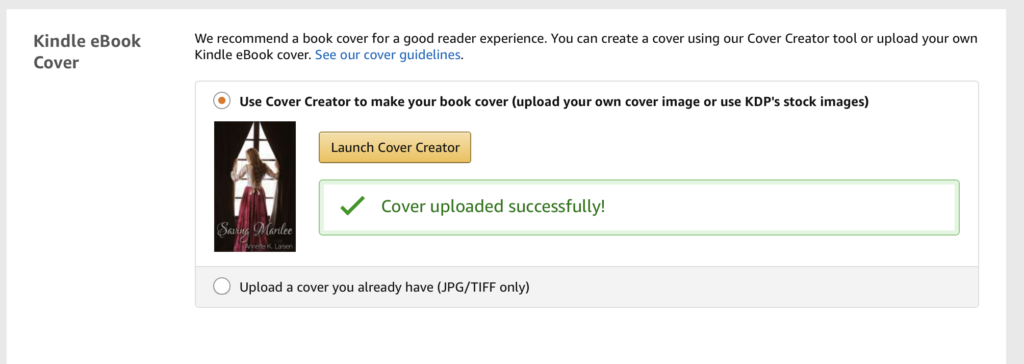
You will need a certain size for your ebook. Then your paperback cover will need to be the full wrap-around cover. Before you can design your paperback cover, you’ll have to have your book fully formatted and ready to go, because the width of your paperback cover will be determined by how many pages are in your book. You have to calculate the exact size, so pay attention to the cover details outlined on KDP. If you hire a cover designer, make sure they are familiar with those guidelines.
You can’t just whip together a pretty picture with your title and name in fancy font. Pay close attention to the guidelines.
AND. Remember that your cover is your one big advertisement for your book. Make sure the feel of it matches the feel of your book. Don’t make it cutesy if you wrote a serious book. Don’t make it flowy and romantic if it’s a suspense. Remember that your cover must look good when it’s the size of a postage stamp. People are going to be surfing the Kindle Store looking for books and your cover is going to be small. You want the picture to make sense small. You want the title to be readable small. Shrink it down and look at it before you decide it’s good to go.
This is the photo that I really wanted to use for the cover of Keeping Kinley.
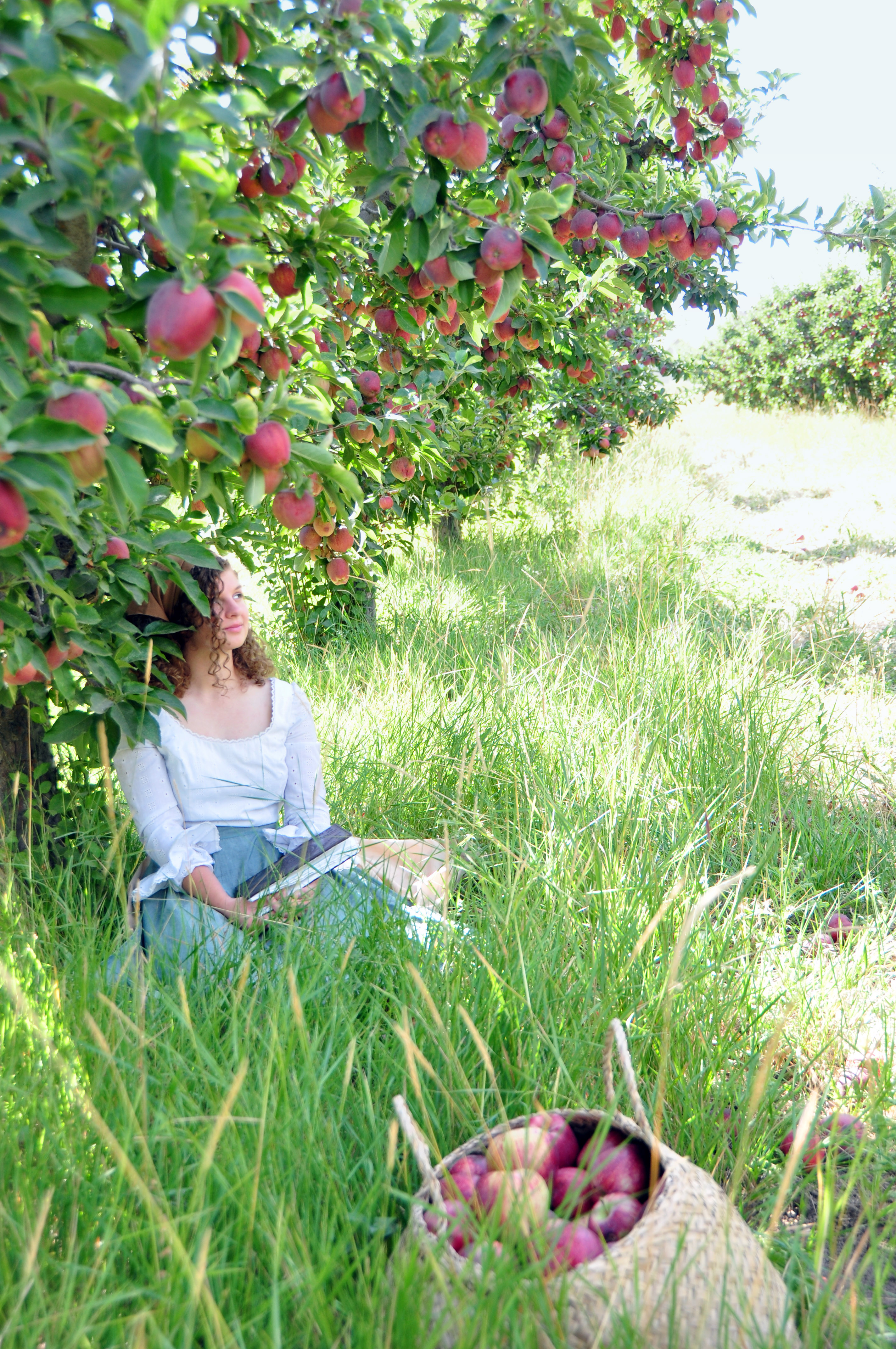
But let’s compare small versions of that photo with the one I ended up using.
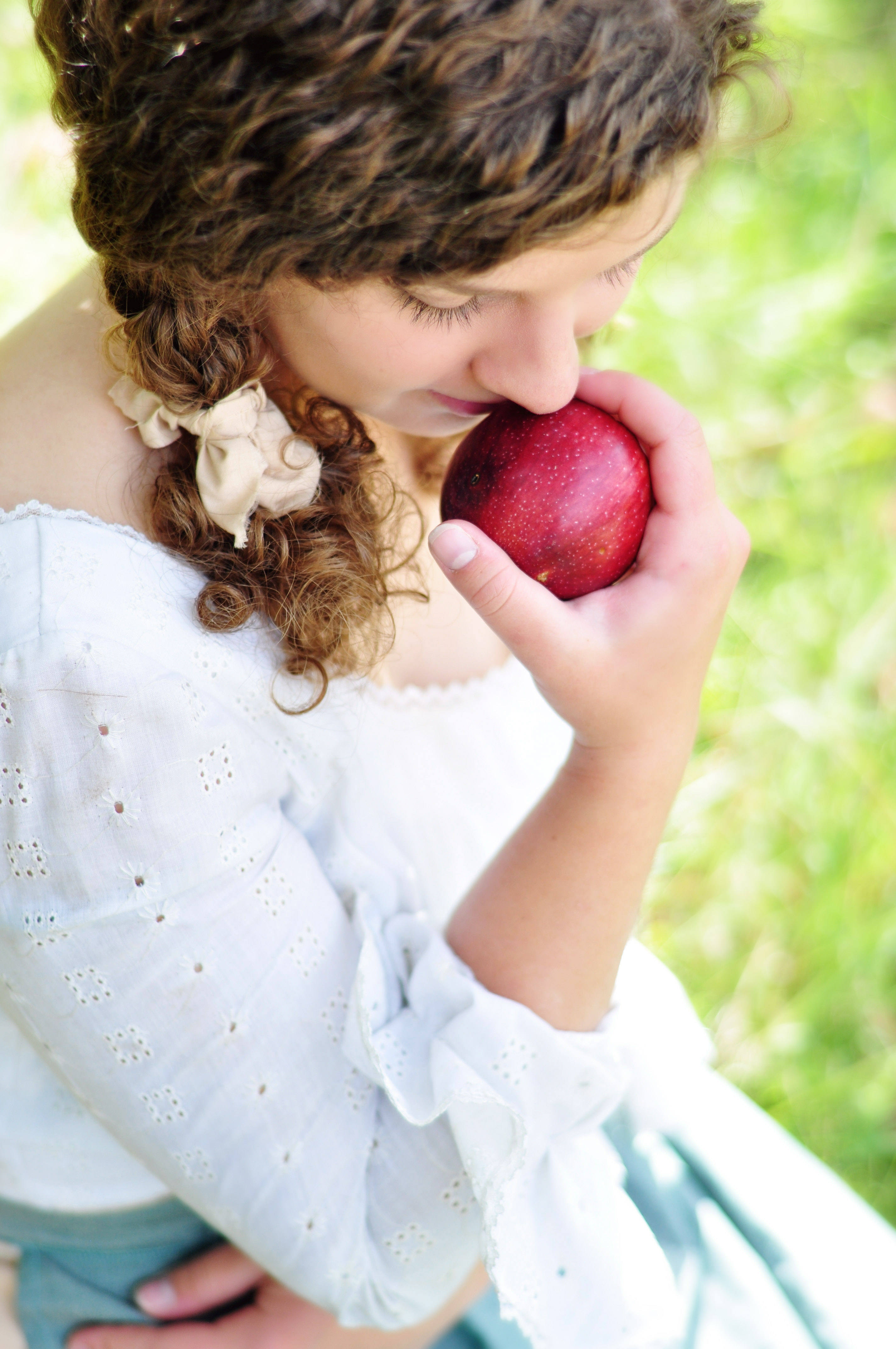
See what I mean? When they’re small, all the gorgeousness of the photo on the right gets muddled. You can’t tell what’s what. But the photo on the left—the one that I chose for the cover—is striking at that size.
Formatting: There are guidelines that you will follow, but the program that you use will determine how you go about it. I know that you can format in just Microsoft Word and upload a PDF, but I’ve never done that, so I can’t speak to how easy or hard it is. I’ve always worked in a program called Scrivener, so my formatting knowledge is all based on that. Just make sure you use a program that can export in .mobi for Kindle, and PDF for paperback.
Proof Copies: You need to order physical proof copies of your paperback so that you can look them over and make sure everything looks good. Watch this to see exactly why physical proofs are so important. Do not just proof it digitally.
Royalties: If your ebook is priced $2.99 or above, you make 70%. Below $2.99, you make 35%. So unless it’s a very short book, you want it to be $2.99 or more. When you set up your paperback, they will have a suggested price for your book based on its length. There will also be a minimum price you can set, because Amazon wants its cut. But there is no maximum. Set it where you think it will sell well, and where you can make money off of it.
Getting Paid: You’ll give them a bank account where they will deposit your royalties, and you’ll do a tax interview. It’s all part of the step-by-step process.
Other platforms: I had one of my books available on Nook and iBooks for a while, but I took it down. I sold maybe 2 copies in a month, while my Kindle version was selling hundreds a month (that was back when my sales were really good because I hit the market at the perfect time. Now the market is so flooded with books that sales are much harder to come by, just so you’re aware.) The reason I took it off of Nook was so that I could enroll it in KDP select. KDP Select enrolls your books in the Kindle Unlimited program, where readers can borrow it and read it. You get paid for every page a person reads after they’ve borrowed it. So for my 90,000-word book, I make about $2 for each person that reads the whole thing. That’s less than I make off of a book purchase, but it’s still money coming in, and my borrows usually generate as much money as my sales do, so it’s worth it to me to enroll. You enroll for three-month periods, and then you can pull it if you want. The catch is that if your book is in KDP select, you cannot publish on any other ebook platform (Nook, Smashwords, iBooks, etc…) You’ll have to decide if you want to stick with just Kindle, or if you want to diversify. Each platform has its own file type they require, and it’s more work for each platform you decide to use. You can always try one way and then switch later on.
Being Seen
Once your book is ready to go, you’ll want to prep several things before pushing publish in order to get more visability
Author Central: You want your books to be linked to you, the author, so you need to set up an Author Central account. This will give you an author page on Amazon, where you can put a photo of yourself, a bio, and a link to your website. You must use Author Central to claim your books as your own. That way, they will all show up on your Amazon author page for people to find.
Goodreads: You’ll want to get on Goodreads, get an account and become a Goodreads author. Once you’re approved as an author, you can put your book cover and description in their database for readers to put on their “want to read” shelf, and so they can review it later. It’s also a good place to review books you read and interact with readers.
BOOKBUB: This is another spot where readers can connect and review. It will also send out preorder and new release notifications to those who follow you. Even if you don’t plan to be on it much, you should make your author profile and claim your books there.
Website: Invest time in making a website. I say time, because you don’t need to spend a bunch of money for a custom website. I use WordPress, which is free. I pay for my domain name ($15-$20 a year) and web hosting ($5-ish a month). HostGator, HostMonster, and BlueHost are some web hosting services. If you go with them, you can buy a domain name through them, and then there is a one-click button for installing WordPress. From there it’s fairly self explanatory on how to get things going.
Social Media: Get your social media presence in order before you publish. Have accounts and profiles that you use for ONLY author stuff. Facebook page, Twitter, Instagram, etc… If you end up with fans, you want them to be able to find you easily. And these accounts should be separate from your personal social media.
Getting it out there: Pushing that PUBLISH button is great, but it won’t do you any good unless you advertise yourself. Try to put together an ARC team. Offer your book to readers (especially if they have a good bookish social media presence) for free and ask them to review and post about it early. Find FB or discord groups of authors in your genre and do newsletter swaps where they mention your book and you mention one of their books.
A word of Caution. Be careful when utilizing friends and family. Only have them purchase and review it early if they usually read within your genre. If you have an aunt who only reads non-fiction and you have her as one of the first reviewers for your romcom, it will mess up Amazon’s algorithms.
If people contact you claiming that for just a few grand, they will promote and sell your book for you—run the other way. If you want to pay for advertizing, do your research and find the right fit. Anyone who contacts you out of the blue is likely not someone you want to use.
So, there you go. Annette’s version of a crash course for indie authors. There are a lot of little things to line up, but none of it is all that difficult. You just need to sit down and start chipping away at it a little at a time. If you’ve already written the book, then the hardest part is over. Except that evil blurb…
Good luck! You can do this.

Be First to Comment